How to Configure Time and Day Routing Within Joy AI
Time and Day routing within Joy AI operates the same way that it does in a live operator script. Once your date/time routing is set, Joy will automatically handle calls differently based on the day and time a call comes in, and based on the workflow you've set up.
In our example, we'll be asking callers if they're having an emergency. Then, depending on the day and time, we'll have Joy automatically route callers one way or another. During business hours, we'll just take a message and during after hours we'll take a message and then initiate a Reach On-Call.
1
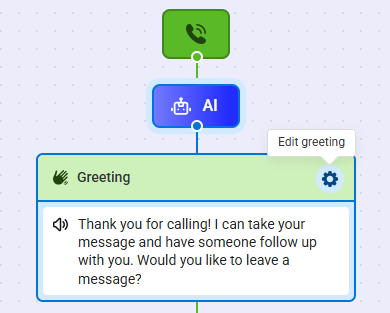
Within the Joy AI builder, hover over the Greeting block you want to edit and click the gear icon.
2
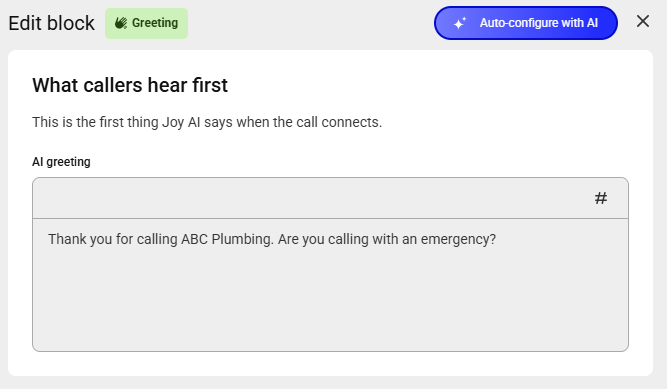
In the AI greeting text box, update your greeting accordingly. In this example, we'll ask callers if they're having an emergency. You can also use the Auto-configure with AI option to create a greeting based on your existing live script using generative AI.
3
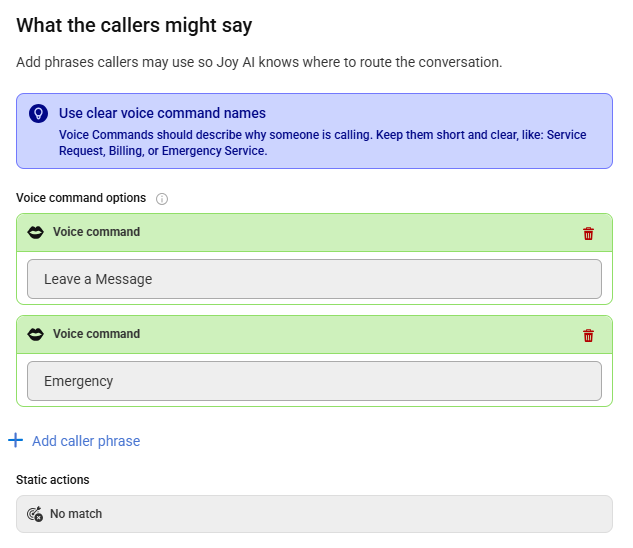
Under the What the callers might say section, we'll need to add another voice command. Click Add caller phrase and add an option for emergencies.
4
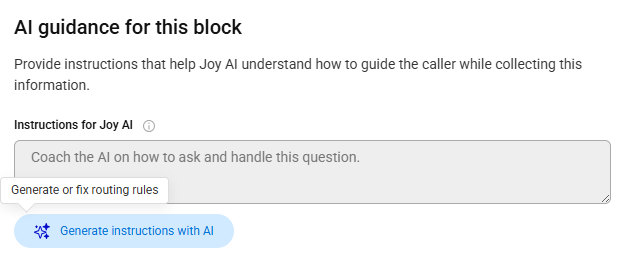
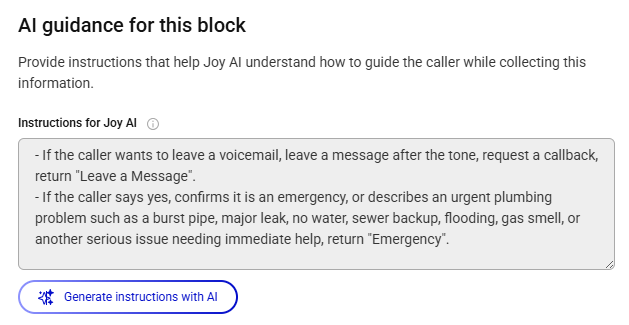
Under the AI Guidance section, you can add instructions that help Joy AI understand how to guide the caller while collecting information. Click the Generate instructions with AI button to auto-configure instructions.
5
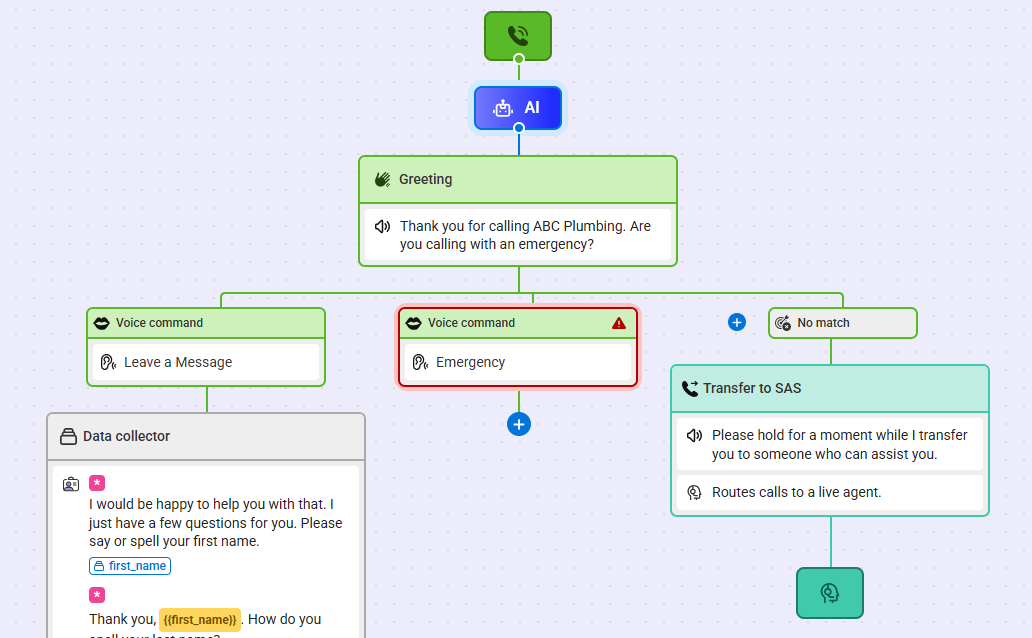
When you are finished editing your Greeting block, click Save. You'll see your new Voice Command added below your Greeting.
6
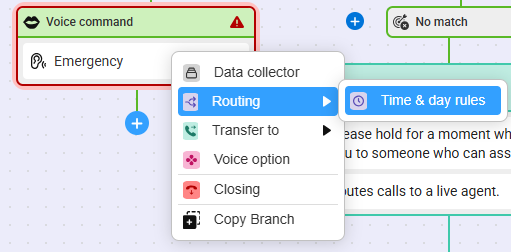
next, click the blue + nodule below the new Voice Command and select Routing > Time & day rules.
7
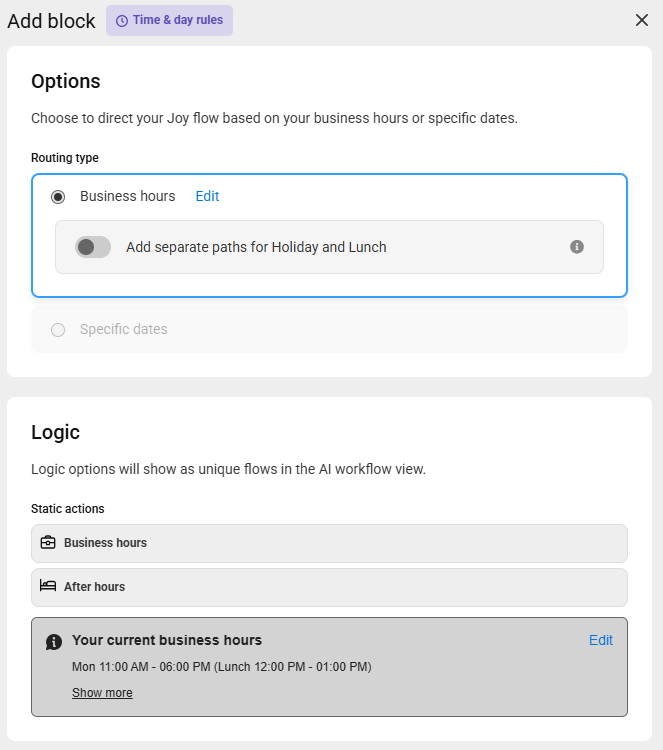
A bump out will appear on the right-hand side of your screen. Within the Options section, select the Business hours option. If you want to enable different call handling for Lunch and Holidays, use the applicable toggle to activate.
8
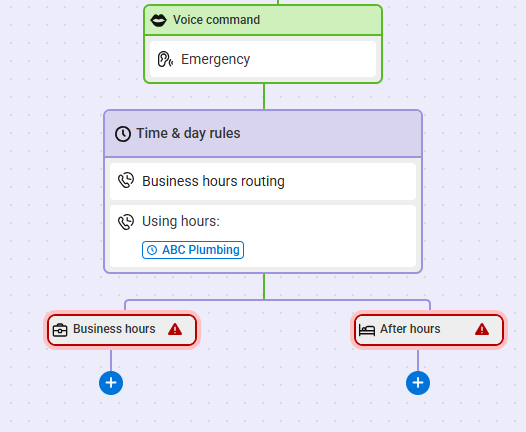
When you are finished editing the block, click Save. You'll see your new routing rules as shown below.
9
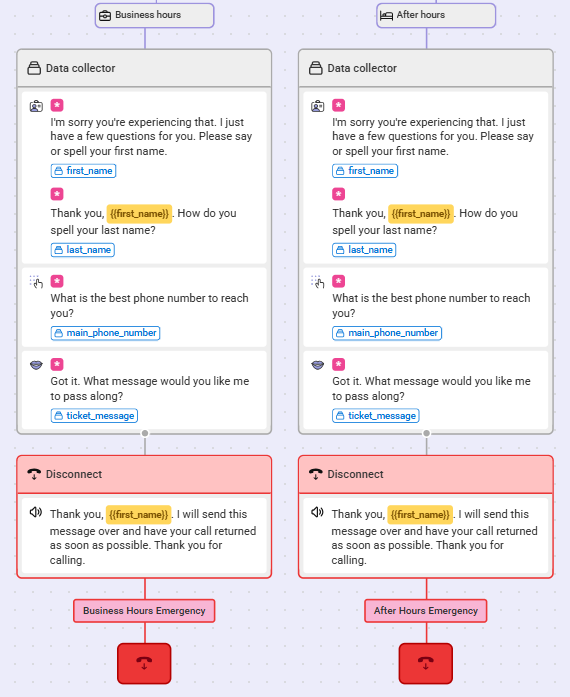
Now we need to build out the paths for business hours and after hours. In our example, we want emergency calls during business hours to result in Data Collection, and a message sent over to the office for a return call. For after hours emergencies, we'll collect data and then go to a Closing which will initate a Reach On-Call.
10
When you are finished making updates to your Joy AI workflow, don't forget to publish your changes in the upper right-hand corner.


